Address: 119 A, DLF Star Tower, Sector 30,, Gurgaon, Haryana, 122001
In today’s fast-paced digital environment, businesses and organizations are constantly looking for innovative ways to capture attention, deliver messages, and enhance customer engagement. One of the most effective tools for this is digital signage software for Smart TV. Whether you’re running a retail store, hotel, corporate office, or educational institution, a robust TV content management system can revolutionize how you display and manage content.
In this blog, we’ll explore how digital signage software works with Smart TVs, the benefits of using a TV content management system, and what to look for when choosing a solution. We’ll also include a helpful FAQ section to address common questions.
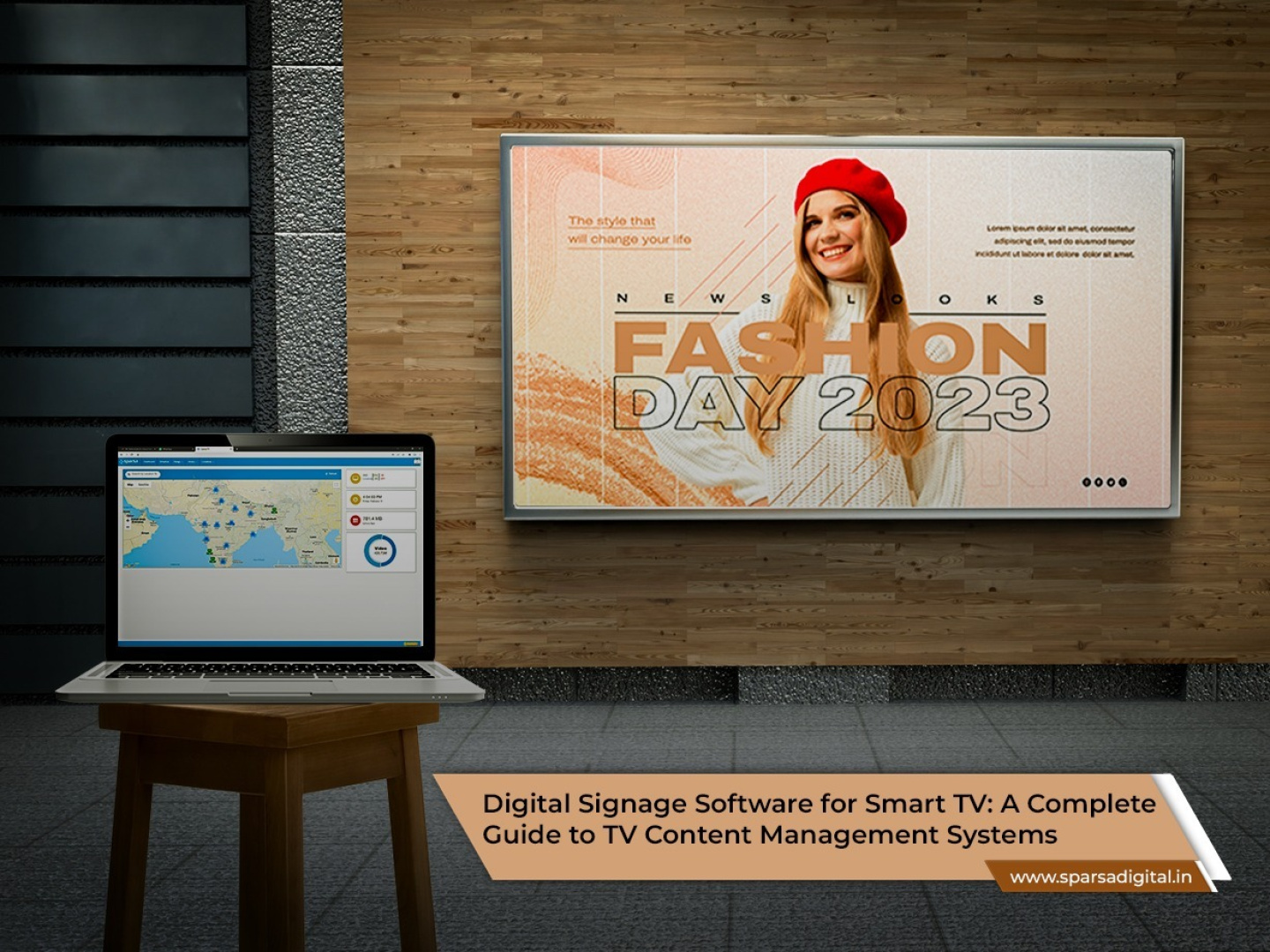
Digital signage software for Smart TV allows users to remotely manage and display multimedia content, such as videos, images, news tickers, or social media feeds, on Smart TVs. These systems are especially valuable in commercial environments, where centralized content control and real-time updates are essential.
Unlike traditional setups that require external media players or computers, many modern Smart TVs come with built-in support for digital signage apps. This makes the setup more streamlined and cost-effective.
Smart TVs eliminate the need for external hardware. A single device handles both content playback and display, reducing installation and maintenance costs.
With a powerful TV content management system, you can control what plays across multiple screens from a single dashboard. This is especially useful for businesses with multiple locations or departments.
Most modern digital signage solutions are cloud-based, allowing users to upload, schedule, and modify content from anywhere with internet access.
You can schedule different content for different times of the day or days of the week. For example, a restaurant might display breakfast specials in the morning and dinner promotions in the evening.
Instantly push updates or emergency notifications to one or all screens. This is crucial for environments like schools, hospitals, or transportation hubs.
Display a wide range of media: promotional videos, slideshows, live data feeds (e.g., weather or social media), interactive content, or even QR codes for mobile engagement.
When selecting a digital signage solution for Smart TVs, consider the following features:
Ensure the software is compatible with the brand and operating system of your Smart TV (e.g., Tizen for Samsung, webOS for LG, Android TV, etc.).
Look for a drag-and-drop interface or template-based system that makes it easy to design and schedule content, even for non-technical users.
The ability to manage multiple screens from a single admin panel is essential for businesses with many displays.
Choose a system that supports user access controls, data encryption, and secure cloud storage.
Advanced signage systems offer performance analytics, such as how often content is played or viewed, helping you measure effectiveness.
Promote sales, highlight featured products, and showcase customer reviews right at the point of purchase.
Display welcome messages, event schedules, and promotional offers in hotel lobbies, conference rooms, or dining areas.
Use digital signage for internal communications, performance dashboards, or training content in break rooms and common areas.
Inform and educate patients in waiting areas with videos, health tips, and appointment reminders.
Post class schedules, campus events, safety alerts, or motivational content across school or university campuses.
Setting up digital signage software for Smart TV is simpler than you might expect:
Here are some widely used digital signage solutions that support Smart TVs:
A: Not all Smart TVs support professional-grade signage software. It’s best to use commercial-grade Smart TVs that offer features like auto power-on, screen timers, and remote management. LG (webOS), Samsung (Tizen), and Android-based TVs are the most compatible.
A: Yes, most cloud-based TV content management systems require an internet connection to sync content and manage screens remotely. However, some systems allow local caching, so content can continue to play even if the connection drops.
A: With a secure digital signage solution, Smart TVs are safe to use for business applications. Look for platforms that offer SSL encryption, role-based user access, and remote device monitoring.
A: Absolutely. Many digital signage solutions support integrations with live weather, news, social media feeds, and internal APIs to display real-time information.
A: Pricing varies based on the number of screens, features, and whether it’s a cloud-based or on-premise solution. Entry-level services might start as low as $10–$20 per screen per month, while enterprise solutions can run higher.
A: Most digital signage apps will auto-launch on boot and reconnect to the content server. Ensure your Smart TV has kiosk or auto-start mode enabled for uninterrupted playback.
A: Yes. A good TV content management system allows centralized control over displays in multiple geographic locations through a single admin dashboard.
Using digital signage software for Smart TV is a smart and efficient way to modernize your communication strategy. With an intuitive TV content management system, businesses can easily create, schedule, and distribute engaging content without needing expensive hardware or complex IT support.
As Smart TVs become more advanced and affordable, they are rapidly becoming the go-to choice for digital signage in every industry, from retail to healthcare to education.
Ready to elevate your visual communication strategy? Choose a reliable digital signage platform tailored for your Smart TV ecosystem, and start turning screens into powerful engagement tools today. Connect with our experts at Sparsa Digital now!

Upto 6 month of service

100% certified professionals

Upto $5,000 against damages
Copyright © 2024 Digital Marketing Deal. All rights reserved.